
GuitarTuna: Tune & Play Guitar
Yousician Ltd.Tools
4.574.28K Reviews
- Version
- 7.99.0
- Installs
- 100.00M
- Age Rating
- Everyone
Screenshots
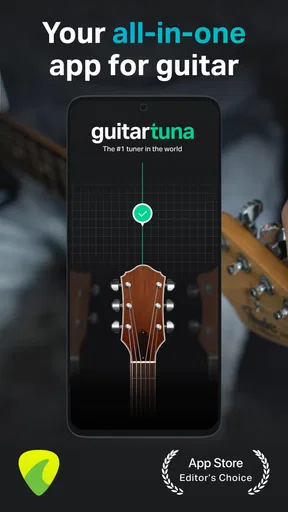

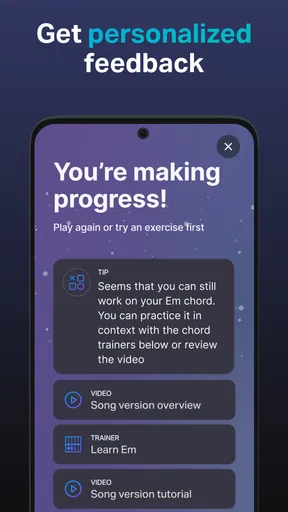
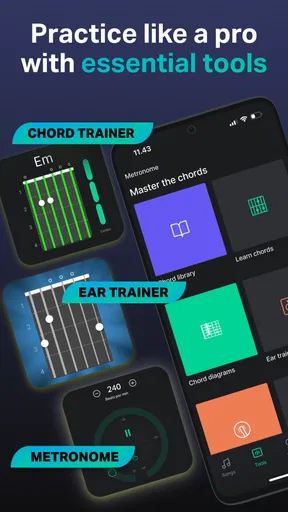
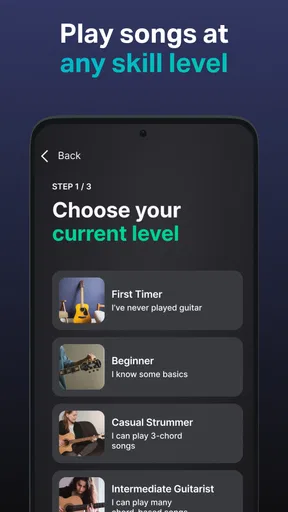
Our Review of GuitarTuna: Tune & Play Guitar
 Analysis by Appyee
For me, the best way to judge a guitar tool is to see whether it helps before the first chord and stays useful once practice gets going. GuitarTuna: Tune & Play Guitar is an approachable option for that routine: I can use it to check a guitar, then move into small practice tasks without switching immediately to a separate tuner or reference. It is a Tools app from Yousician Ltd., and its broad reach—over 100 million installs—makes it familiar to many players, though popularity alone is not a substitute for checking whether its workflow suits your instrument and habits.
A practical tuning routine
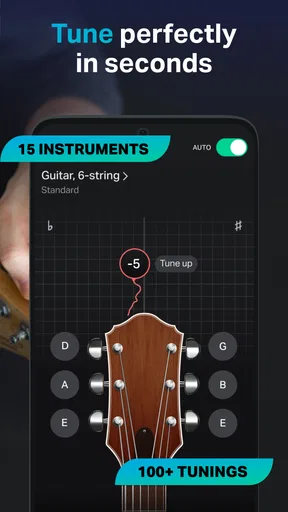
I would start by placing the phone where its microphone can hear the instrument clearly, then tune one string at a time and pause between notes. That simple habit makes the feedback easier to read, especially in a shared room or when another sound is nearby. I like that the app can guide a player through standard tuning as well as alternatives such as Drop D and Open G; the useful part is not having to remember every target pitch before picking up the guitar.
For a quick check before a lesson or a casual play-through, this is more convenient than opening a browser and searching for a tuning reference. It also removes some guesswork for a beginner: rather than relying only on whether a note sounds close, the player can follow the tuner’s visual response. I would still listen to the string and play a chord afterward. A tuner can help set the notes, but it cannot decide whether the instrument feels comfortable or whether a chord rings cleanly.
Settings that are worth a moment
The app’s adjustable tuning and metronome settings are worth exploring before they become urgent. If you regularly use a non-standard tuning, select it before beginning instead of changing targets halfway through a session. That small check helps avoid the frustrating mistake of tuning a string accurately to the wrong note. Likewise, set a comfortable tempo before starting a rhythm exercise; beginning slowly gives you room to notice uneven changes rather than simply trying to keep up.
Microphone-based tuning also depends on the surroundings. In a quiet room, I can focus on one string and get a more dependable reading than I would beside conversation, television, or another instrument. If the display seems uncertain, I would mute the strings I am not checking, move closer to the guitar, and repeat the note rather than turning a peg based on a fleeting reading. This is a useful distinction: the app can listen, but the player still has to give it a clean signal.
Turning a tuner into a repeatable practice tool
Once the guitar is in tune, I find the metronome and chord library more useful when I give them a specific job. For example, I might look up a chord shape that slows down a song, listen to its sample, then change between it and a familiar chord at a relaxed tempo. That is more focused than browsing diagrams without putting any of them into a progression. The ear and rhythm games can also make a short practice break feel lighter, although I would treat them as a supplement rather than a replacement for learning songs or working through difficult passages.
A repeatable routine might be: check tuning, choose one chord change to clean up, use the metronome to keep the movement steady, and finish by playing the passage without stopping. The point is to make each tool answer a clear question. Is the guitar in tune? Is the chord transition clean? Can I keep time while making it? That approach keeps the app from becoming a menu of activities and helps a player notice what actually improved.
Where it fits—and where it does not
Compared with a simple standalone tuner, GuitarTuna brings practice aids into the same place, which is convenient if you want tuning, chord references, and rhythm support in one app. A dedicated physical tuner may be a better fit on a noisy stage or when you do not want to depend on a phone microphone. A paper chord chart or a focused lesson can also be better when your goal is deeper instruction rather than quick reference and short exercises. I see this app as a handy companion, not a complete guitar course or a replacement for attentive practice.
It is particularly suitable for newer players who want an easy starting point, casual guitarists who need a tuner nearby, and experienced players who switch between familiar tunings and want quick practice tools. It may be less appealing if you already own a tuner that works well for your setup, prefer learning from a teacher, or want a single-purpose interface with no extra activities. The app is free to download, with in-app purchases ranging from $0.99 to $139.99 per item, so I would check the terms of any paid option before committing; the core appeal is the convenient toolset, not a promise that every learning feature is included at no cost.
For an everyday example, imagine picking up your guitar after work with only fifteen minutes to spare. I would choose the tuning I plan to use, tune quietly and carefully, then spend a few minutes on one awkward chord change with the metronome before playing a favorite section. That is a realistic way to get value from the app without turning a short break into a long setup session. On a shared or noisy commute, though, I would wait until I had a quieter place to tune rather than trust an unclear microphone reading.
Getting Started with GuitarTuna
First off, downloading GuitarTuna is a breeze. Available on both Android and iOS, it takes just a few minutes to install. Once you open it up, you’re greeted with a clean, intuitive interface. It’s like the app is saying, "Hey, don’t worry, I’ve got your back!"
The Essential Tuning Feature
Let’s talk about the bread and butter—tuning. The app uses your device’s microphone to listen to your guitar and guide you through tuning each string. What really impressed me was the accuracy. It gives real-time feedback, and I honestly felt like I was using a high-end tuner. Plus, there’s a visual guide that makes the process foolproof. You can choose from a variety of tuning options, whether you’re into standard tuning or something more exotic like Drop D or Open G.
Playing and Practicing
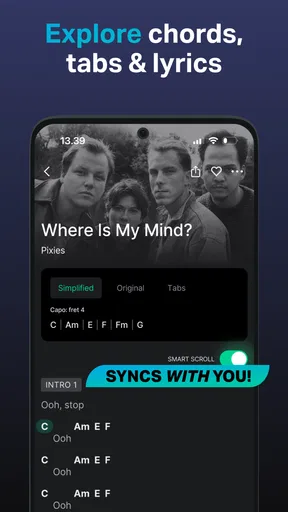
But wait, there’s more! GuitarTuna isn’t just about tuning; it's got a whole suite of tools to help you improve your playing. There’s a built-in metronome—perfect for keeping time during practice sessions. And if you’re like me, who loves to challenge myself, the chord library is a goldmine. It provides diagrams and audio samples for tons of chords, great for when you’re trying to nail that tricky progression.
The app also offers games designed to improve your ear and rhythm. It’s a fun way to practice without feeling like you’re practicing. I found myself getting lost in it for hours—time well spent!
User Experience and Design
Now, let’s chat about the user experience. The design is sleek and modern, with everything easy to find and use. It’s not cluttered with unnecessary features, which I appreciate. The app also runs smoothly without any hiccups, making it reliable during those critical tuning moments before a performance.
And for those who love a bit of customization, the app allows you to tweak settings to your liking. Whether it's the tuning settings or the metronome tempo, you can adjust everything to fit your needs.
Practice habits and sensible limits
One small but valuable habit is to check tuning again after a few minutes of playing, particularly if you have just changed strings or moved between tunings. I would not treat that as a flaw in the app: strings can settle, and playing can shift them. The practical lesson is to use the tuner as a checkpoint, not as a one-time guarantee that the guitar will stay perfectly set for the whole session.
There is also a trade-off in having several kinds of help together. A chord diagram can answer “where do my fingers go?”, while the audio sample gives a quick reference for how the chord should sound; neither explains every technique needed to make it ring clearly. If a chord still buzzes or feels uncomfortable, I would slow down, check finger placement, and seek instruction rather than repeatedly opening the same diagram. The app is strongest at immediate prompts and reference, not diagnosing every physical or musical problem.
For players deciding whether to pay, I would begin with the free experience and identify the specific feature I actually want before considering an in-app purchase. The listed item prices span from $0.99 to $139.99, a wide range that makes it sensible to inspect the purchase details rather than assume all extras are small add-ons. The app is rated for Everyone, has an average rating of 4.5 from around 2.6 million ratings, and its current version is 7.88.0; it supports devices running Android 8.0 or later. Those details make it easy to judge basic compatibility, but they do not change the main question: whether its mix of tuning and practice aids is useful to you.
When comparing it with other ways to learn, I would separate the jobs. A standalone tuner is simpler when tuning is all you need; a teacher or a structured course is more useful for feedback on technique and musical progress; and a song tutorial can be more direct when you want to learn one particular piece. GuitarTuna sits between these choices as a convenient tuner with extra practice references. That middle ground is its strength, but it also means I would not expect it to replace every tool a serious player uses.
If you play acoustic guitar in a calm room, the microphone-based approach is an easy fit. With a loud electric setup, nearby players, or a setting where taking out a phone is inconvenient, a physical tuner may be more dependable and less distracting. Beginners can benefit from the clear visual guidance, while experienced players are more likely to value the quick switch to another tuning and the ability to keep a simple practice routine in one place. The right choice depends less on playing level than on the situation and the kind of help you want.
Final Thoughts
After spending some quality time with GuitarTuna, I can honestly say it’s a must-have for guitarists of any level. Whether you’re a beginner struggling with tuning or a seasoned pro needing a reliable tool, this app has got you covered. The combination of its precise tuning capability and additional features like the metronome and chord library make it a powerhouse of an app.
So, if you’re looking for a way to keep your guitar sounding awesome, give GuitarTuna a try. It’s like having a personal guitar tech in your pocket. Happy playing!
Verdict
Strengths of GuitarTuna: Tune & Play Guitar
- User-friendly interface for quick tuning.
- Supports a wide range of instruments.
- Accurate tuning with noise cancellation.
- Includes chord library for learning.
- Interactive games to improve skills.
Limitations of GuitarTuna: Tune & Play Guitar
- Limited features in free version.
- Ads can be intrusive during use.
- Some features require in-app purchases.
- Occasional lag in older devices.
- Requires internet for full functionality.
Other Releases by Yousician Ltd.
View All
Yousician: Learn & Play Guitar
Education4.4
Similar Picks in This Category
View All
Google LLC4.0

Gboard - the Google Keyboard
Google LLC4.5

Google Play services
Google LLC4.3

Google Play Store
Google LLC4.9

Files by Google
Google LLC4.5

SHAREit: Transfer, Share Files
Smart Media4U Technology Pte.Ltd.4.3
You May Also Like
View All


Frequently Asked Questions
What features does GuitarTuna offer for tuning instruments?
GuitarTuna provides a comprehensive suite of features for tuning various string instruments, including guitars, basses, ukuleles, and more. It offers a precise and fast tuner that uses your device’s microphone to detect the instrument’s pitch. The app supports alternate tunings and has a built-in metronome and chord library to enhance your practice sessions.
Is GuitarTuna suitable for beginners?
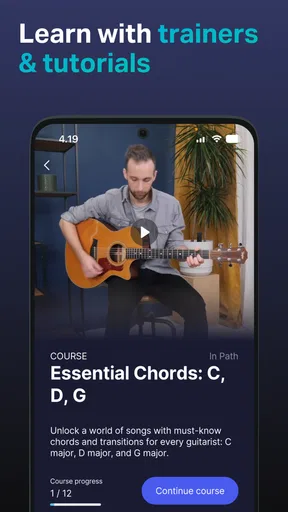
Yes, GuitarTuna is designed with beginners in mind. It features an easy-to-use interface and includes educational tools such as chord charts and tutorials. The app also offers games to help beginners learn chords and improve their rhythm, making it a great starting point for new players.
Does GuitarTuna require an internet connection to function?
No, GuitarTuna does not require an internet connection for its core tuning features. You can tune your instrument and access most of the app’s tools offline. However, some advanced features, such as downloading additional content or updates, may require an internet connection.
Can GuitarTuna be used for live performances?
GuitarTuna is highly suitable for live performances due to its fast and accurate tuning capabilities. However, it’s essential to ensure your device’s microphone is of good quality to achieve the best results. The app’s metronome and chord library can also be valuable tools during live shows.
Is GuitarTuna available for both Android and iOS devices?
Yes, GuitarTuna is available for download on both Android and iOS platforms. It can be found on the Google Play Store and Apple App Store, ensuring a wide range of users can access its features regardless of their device preference. The app is regularly updated to support new devices and operating systems.
